The calendar sync that keeps up with moved meetings.
Move a meeting in one calendar, and its busy copies move in all the others within seconds. Microsoft 365 and Google, self-hosted on Cloudflare.
Runs on the Cloudflare Workers free plan · MIT licence
A simulation in your browser. No calendar is connected.
How it works
slotmirror runs in your own Cloudflare account. There is no slotmirror service between your calendars and your deployment.
Deploy
Deploy the Worker and its database to your Cloudflare account, with the button or with wrangler.
Register the apps
Create a Microsoft Entra app and a Google OAuth client, and store them as secrets. The quickstart walks you through it.
Connect and choose
Connect your Microsoft and Google accounts. They block each other as busy; add titles or more where you want them.
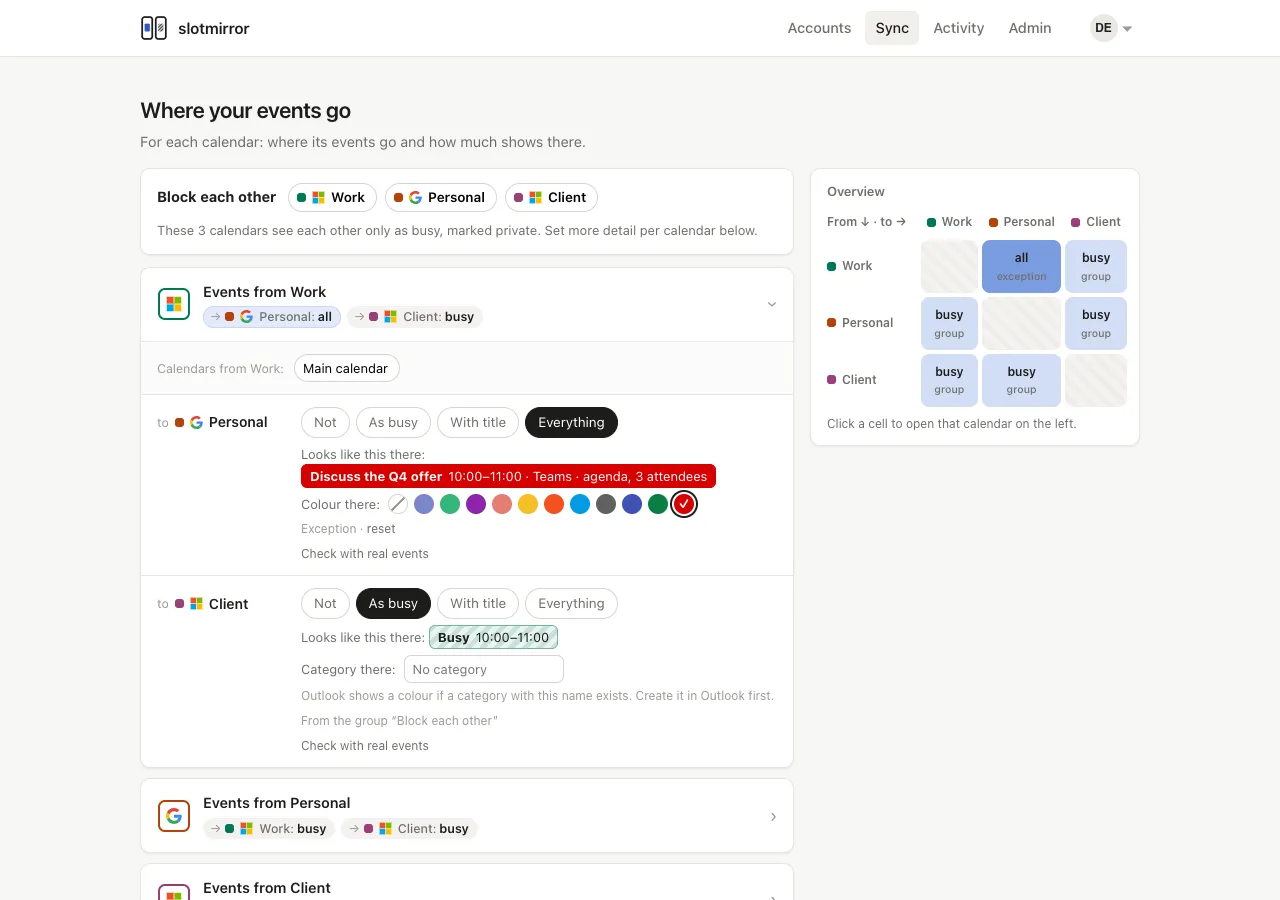
One page for every direction
Each calendar gets a card: where its events go and how much shows there. The overview on the right shows all directions at once.
Features
What the editor and the sync do today.
Block group
Calendars in the group see each other as busy, with exceptions.
Detail per direction
Not, busy, title, or everything, with a preview of the copy.
Extra calendars
Subscriptions such as team fixtures can block your time too.
Push notifications
Changes arrive within seconds; a scheduled check catches the rest.
Organisation limits
Admins cap the detail between work and private calendars.
Activity log
Runs and changes with counts and codes, never event content.
EU data location
The database and the sync can stay in Cloudflare's EU jurisdiction.
Colours
A colour per account in the app, and a colour for the blocks it writes.
Why moved meetings get lost
A recurring meeting moved for one week is an exception to its series. Sync tools that rebuild copies on a schedule can miss it until the next full run.
- slotmirror reads each occurrence of a series, so a moved one keeps its identity.
- It changes only what differs: create, update or delete, never a rebuild.
- Push notifications start the sync when the meeting moves, not minutes later.
- Event contents are read during a sync and kept only in memory, never written to the database.
Guides
Changelog
No release yet.All releases